
Token Scopes
Grant each access token only the APIs it needs.
A scope is a permission granted to an access token, written as group:action (for example geocoding:forward). When you create or update a token on the User Dashboard, select the scopes it should have. A token can only call endpoints that match its type and selected scopes.
- API tokens use scopes for the product APIs. Older API tokens created before scopes were introduced are unscoped and keep access to all data APIs.
- Account tokens use scopes for account resources, such as
balance:read. They cannot call data APIs.
The User Dashboard lists all scopes available for each token type. For example, a token for a website's search box only needs Forward Geocoding and Autocomplete:
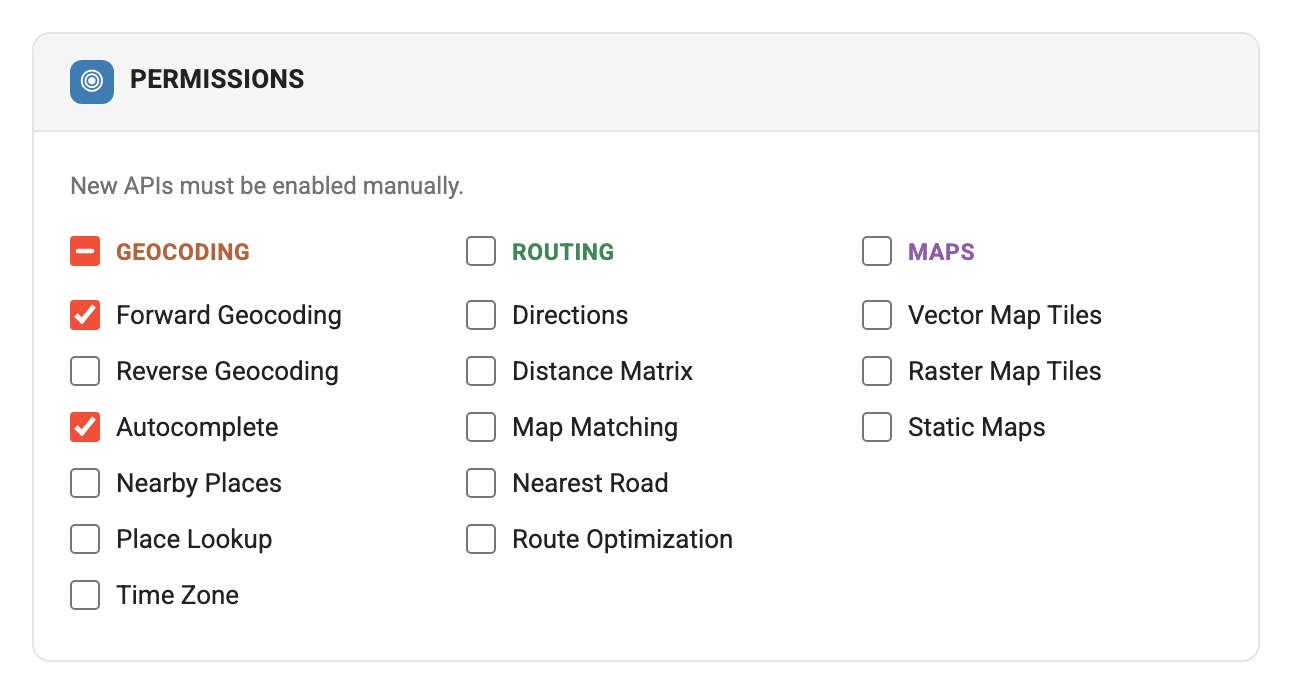
API Token Scopes
| Group | Dashboard label | Scope |
|---|---|---|
| Geocoding | Forward Geocoding | geocoding:forward |
| Reverse Geocoding | geocoding:reverse | |
| Autocomplete | geocoding:autocomplete | |
| Nearby Places | geocoding:nearby | |
| Place Lookup | geocoding:lookup | |
| Time Zone | geocoding:timezone | |
| Routing | Directions | routing:directions |
| Distance Matrix | routing:matrix | |
| Map Matching | routing:matching | |
| Nearest Road | routing:nearest | |
| Route Optimization | routing:optimize | |
| Maps | Vector Map Tiles | maps:tiles:vector (includes the styles, fonts and sprites needed to render them) |
| Raster Map Tiles | maps:tiles:raster | |
| Static Maps | maps:static |
Account Token Scopes
| Group | Dashboard label | Scope |
|---|---|---|
| Balance | Read Balance | balance:read, required by the Balance API |
| Token management (coming soon) | Create, Update, Revoke API Tokens | tokens:create, tokens:update, tokens:revoke |
| Reports (coming soon) | Read Reports | reports:read |
How Scopes Apply
- A scope can only reduce access. Your plan, product access and balance still apply.
- Missing scopes are rejected. A token without the scope an endpoint needs gets HTTP
403Access restricted(see Errors), and the request doesn't count towards your usage. - New APIs need opting in. A scoped token only gets the APIs you selected, so add new ones by updating the token. Unscoped API tokens, created before scopes were introduced, keep access to every data API, including new ones.
- Changes take a few minutes. Updated scopes may take up to 10 minutes to apply.