
Request Restrictions
Limit an access token to your servers' IP addresses or your websites' HTTP referrers.
Request restrictions limit where an access token can be used from: IP addresses for server-side calls and HTTP referrers for websites and apps. Requests from anywhere else get HTTP 403 Access restricted.
IP Address Restrictions
You can define a list of IPv4 addresses or subnets authorized to call our APIs or Maps with an access token. If not specified or empty, it will default to any IP address. Specify one IPv4 address or a subnet using CIDR notation (e.g. 192.168.1.0/24). For multiple IP addresses or subnets, specify one per line, up to a maximum of 10 per access token.
A few examples:
192.168.1.1will restrict access to to requests from this IP172.16.1.0/24will restrict access to IPs in the range172.16.1.0to172.16.1.255
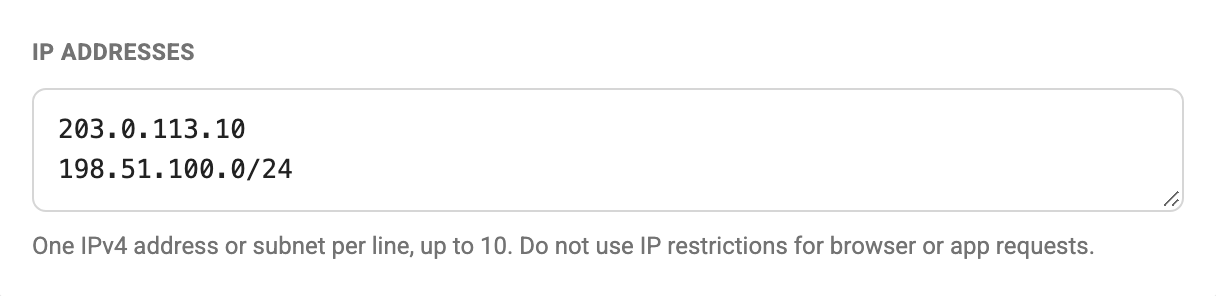
Note: It may take up to 10 minutes for settings to take effect.
Do not use IP restrictions for browser-based use-cases such as showing Maps or an Autocomplete widget. This is because these requests originate from your end user's IP address and not your server's IP. Your user's IP will not pass the IP restriction pattern. Use IP restrictions for API calls that originate from your server with a fixed IP / range.
HTTP Referrer Restrictions
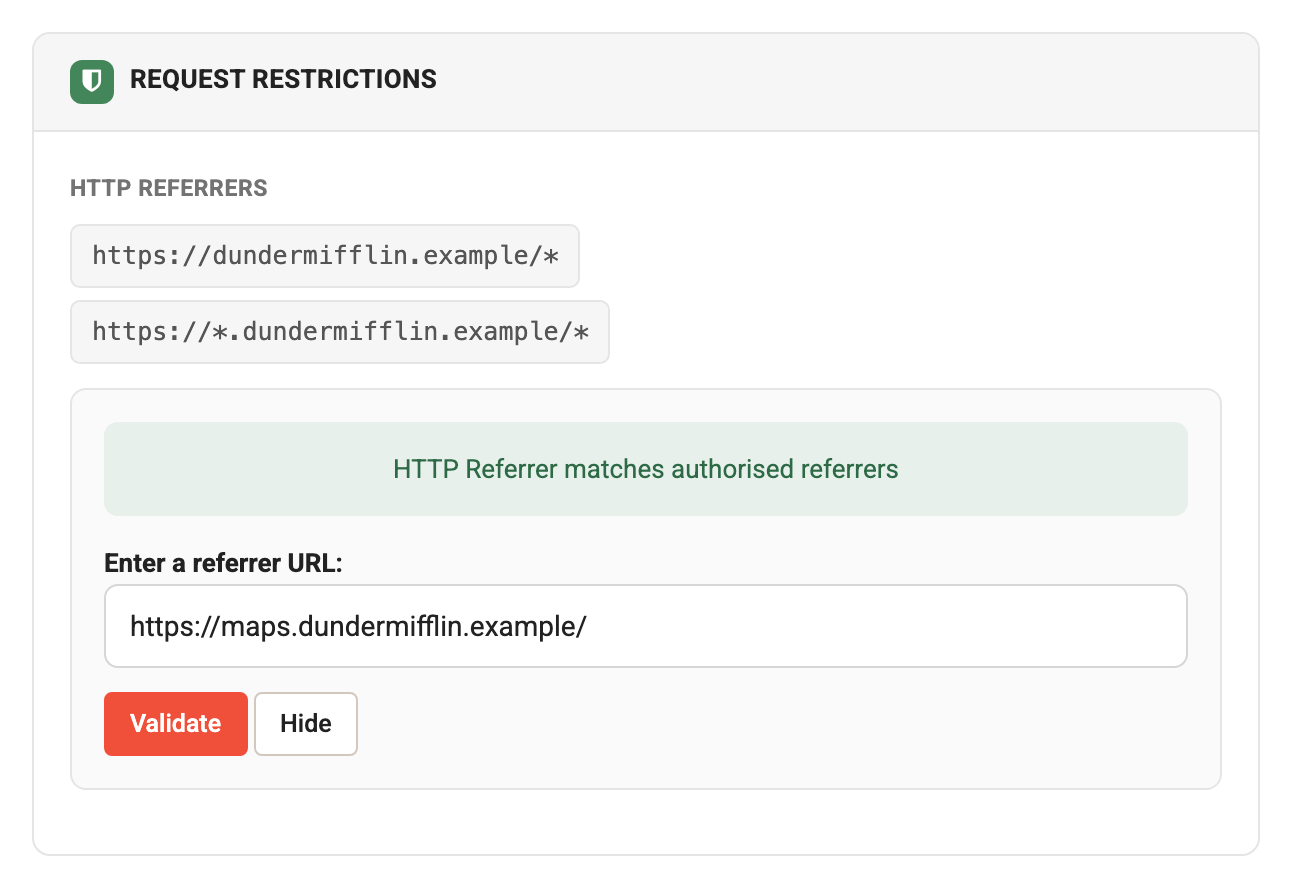
You can define a list of HTTP referrers (commonly mis-spelled as referer!) authorized to call our APIs or Maps with an access token. If not specified or empty, it will default to any referrer. Referrers can be targeted by matching a prefix or a suffix using the * character. For multiple HTTP referrers, specify one pattern per line, upto a maximum of 20 per access token.
The referrer is an HTTP header that is sent by browsers and like all HTTP headers, it can be spoofed. Treat referrer restrictions as a deterrent, not a security boundary, and pair them with scoped access tokens and frequent access token rotation.
You can test patterns on the User Dashboard while viewing an access token:
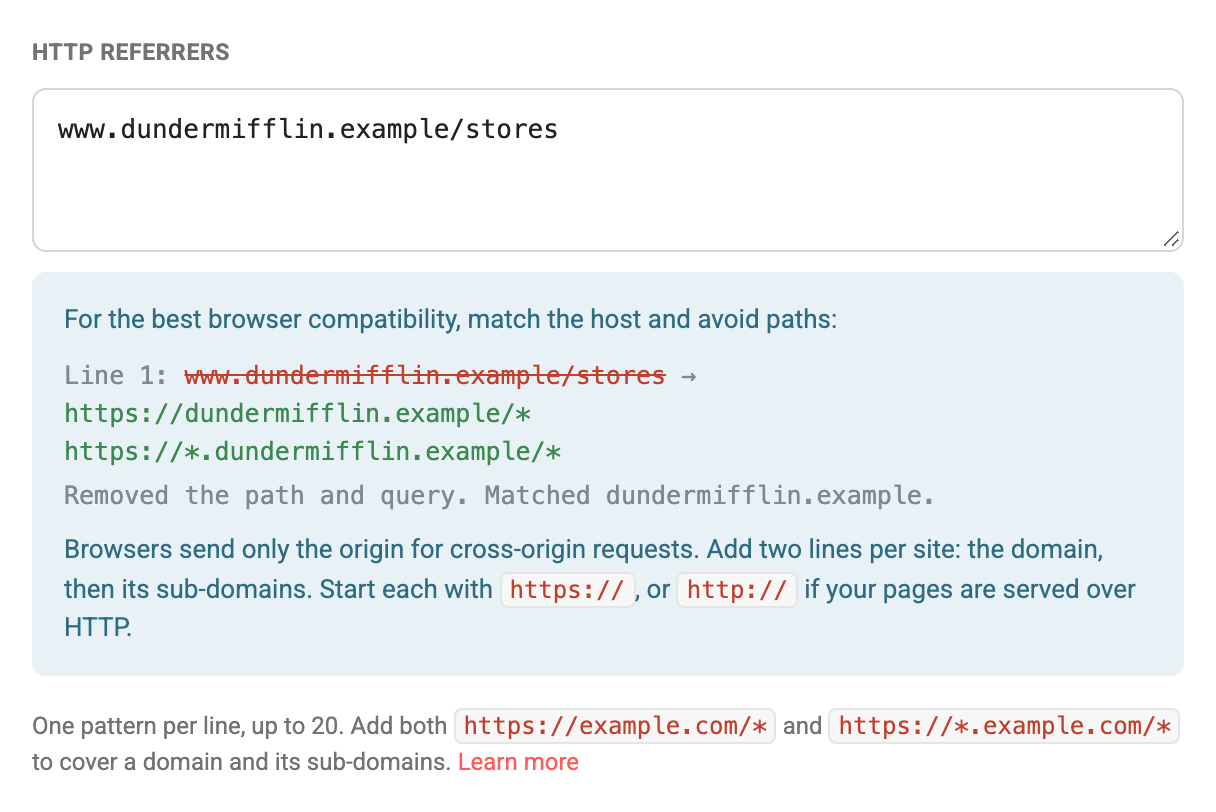
By default, modern browsers use the strict-origin-when-cross-origin referrer policy. For a cross-origin request, such as an API or tile call, they send only the origin (scheme, host and port) and drop the path and query string. No referer is sent at all when a request goes from HTTPS to HTTP. Match on the host, not the path.
Patterns use shell-style wildcards, where * matches any characters, including dots and slashes. Anchor each pattern to the scheme and host, and end the host with /* so it matches the origin form browsers send plus any same-origin path. Matching ignores case, so https://Example.com/* and https://example.com/* behave identically.
| Pattern | These referrers match | These referrers do not match |
|---|---|---|
https://example.com/*one exact host over HTTPS | https://example.com/https://example.com/maps/route | http://example.com/ (different scheme)https://www.example.com/ (a sub-domain)https://notexample.com/ (a different host)https://example.com.evil.com/ (a different host) |
https://*.example.com/*any sub-domain over HTTPS | https://www.example.com/https://maps.example.com/ | https://example.com/ (add the exact-host pattern too)https://example.com.evil.com/ (the sub-domain must directly follow https://) |
http://example.com/*the same host when your pages are served over HTTP | http://example.com/ | https://example.com/ (different scheme) |
For most sites, add both https://example.com/* and https://*.example.com/*, so the domain and all of its sub-domains are allowed.
When you type a pattern that browsers won't match as intended, the dashboard suggests a fix:
Add the port if your site uses a non-default one, for example https://example.com:8443/*.
Do not begin a hostname with *. Because * matches any characters, including dots, such patterns also match unrelated hosts:
| Unsafe pattern | Also matches |
|---|---|
*example.com* | https://notexample.com/https://example.com.evil.com/ |
example.com* | https://example.com.evil.com/ |
Internationalized Domains
If your domain contains non-English characters, use its punycode form — the xn-- spelling. Browsers convert the host to punycode before sending the Referer header, and patterns are matched against the header exactly as it arrives, with no conversion between the two spellings. A readable pattern on its own therefore never matches real browser traffic.
| Your domain | Pattern to add |
|---|---|
münchen.de | https://xn--mnchen-3ya.de/*https://*.xn--mnchen-3ya.de/* |
каменастрой.рф | https://xn--80aaorbnijrjl.xn--p1ai/*https://*.xn--80aaorbnijrjl.xn--p1ai/* |
The Dashboard shows you the punycode form when you type an internationalized domain, so you can copy it from there. If some of your traffic comes from non-browser clients that send the readable spelling instead, add a line for each form.